Mac 상태를 한눈에
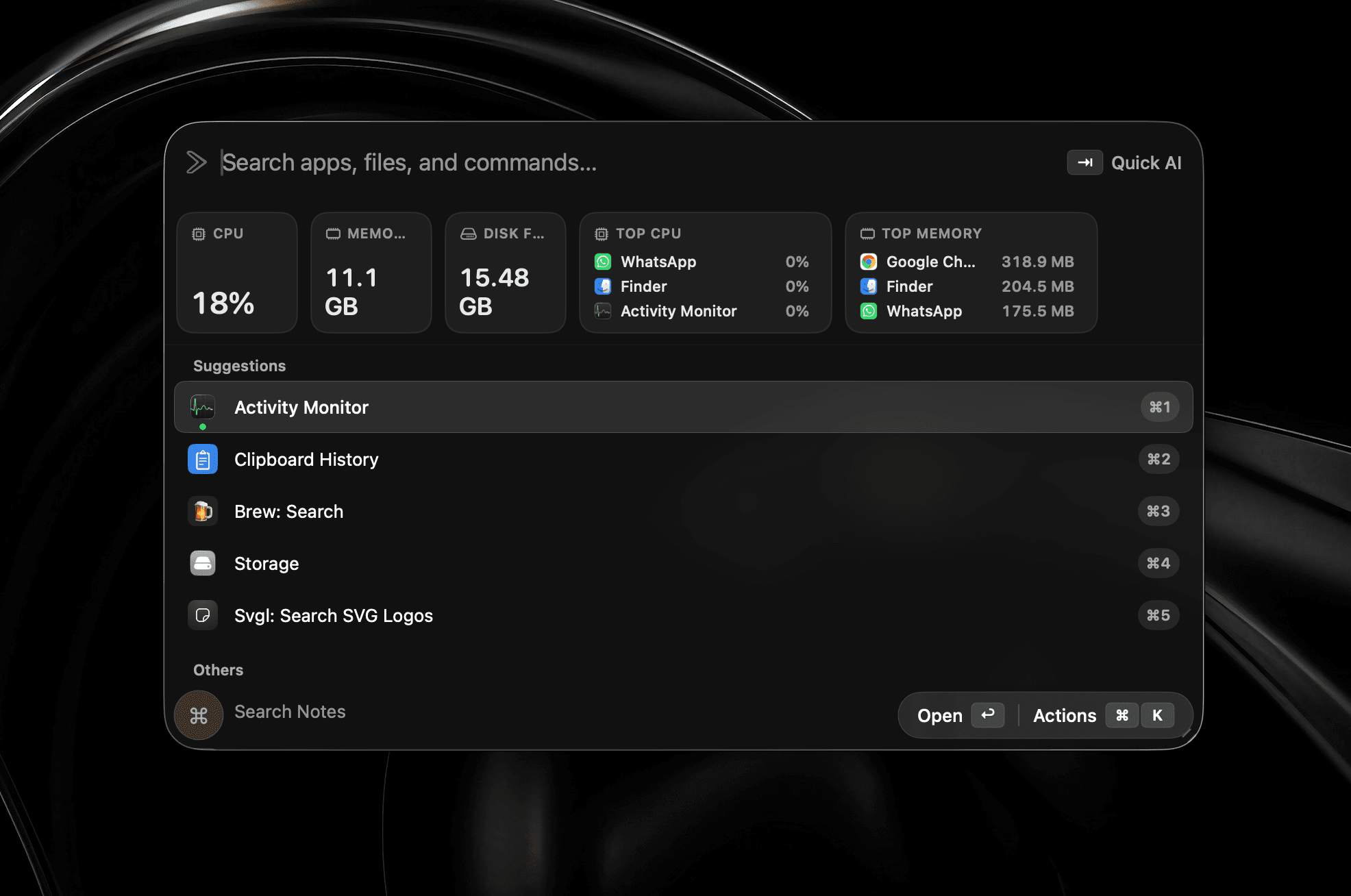
CPU, 메모리, 디스크와 배터리를 실제로 소모하는 프로세스를 런처에서 바로 확인하세요.
Swift로 새롭게 제작
빠르고 네이티브이며 로컬 우선인 Mac 런처입니다.
얼리버드 혜택·50% 할인·Mac 3대 포함
macOS 26 이상 필요
Homebrew로도 설치할 수 있습니다
$brew install --cask shobhit99/tap/supercmd기업용이 필요하신가요? 개발자와 통화 예약하기
기능 구성
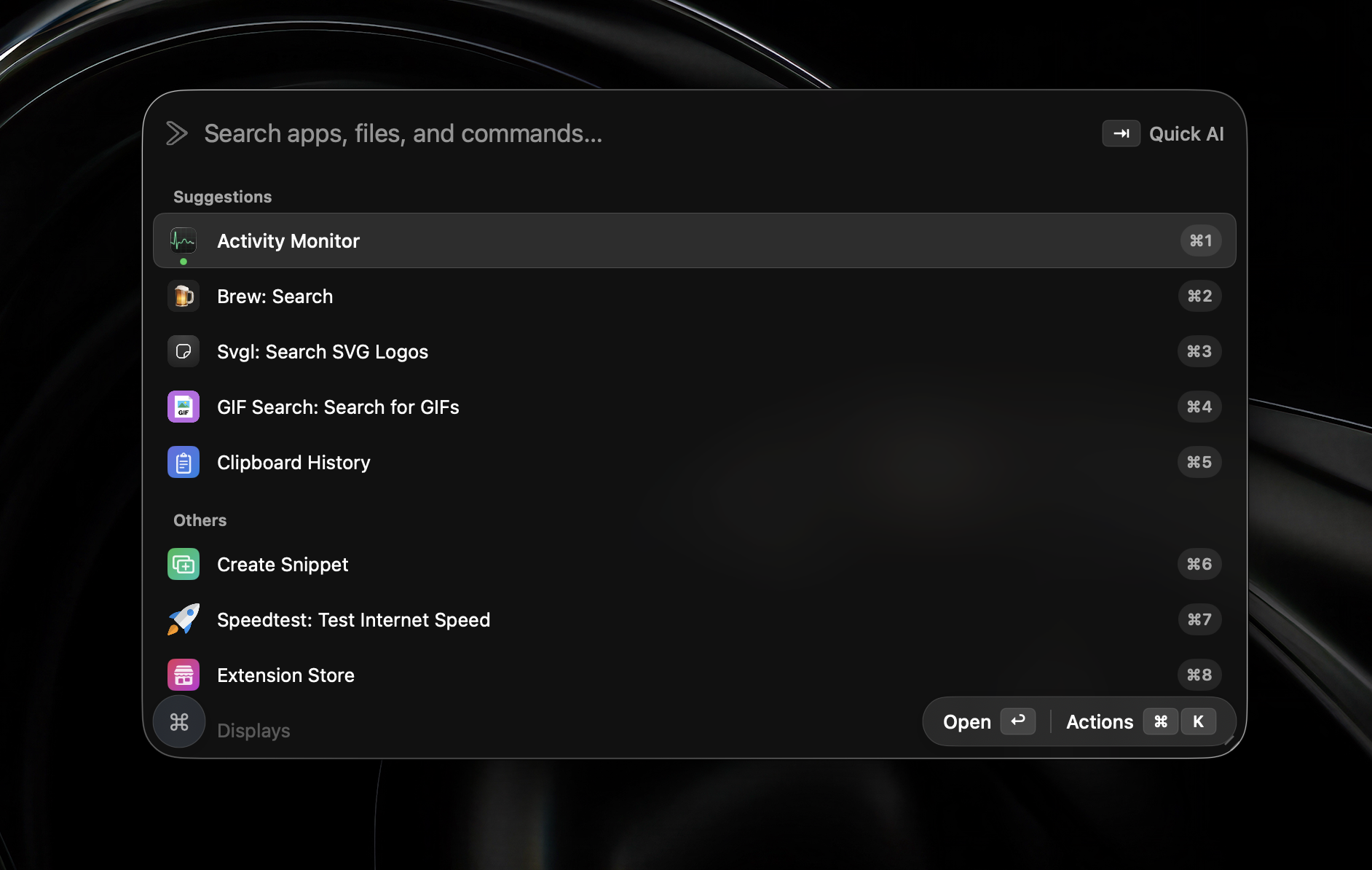
Swift 네이티브로 제작했습니다. 에이전트, 스크린샷, 위젯 등 자주 쓰는 도구를 가벼운 런처 하나에 담았습니다.
메모리 사용량
에이전트, 위젯, 스크린샷을 모두 열어 둬도 Swift 네이티브 앱은 가볍게 유지됩니다.
Swift 네이티브로 제작
Electron 미사용
실제 사용
모든 기능이 v2에 포함되어 있습니다. 대기 목록이나 베타 설정 없이 설치 즉시 사용할 수 있습니다.
CPU, 메모리, 디스크와 배터리를 실제로 소모하는 프로세스를 런처에서 바로 확인하세요.
원하는 영역을 캡처해 화살표, 도형, 텍스트, 가림 처리를 바로 추가하고 완성본을 클립보드에 복사하세요.
열린 모든 창을 번호가 매겨진 실시간 미리보기로 보고 숫자 키 하나로 바로 이동하세요.
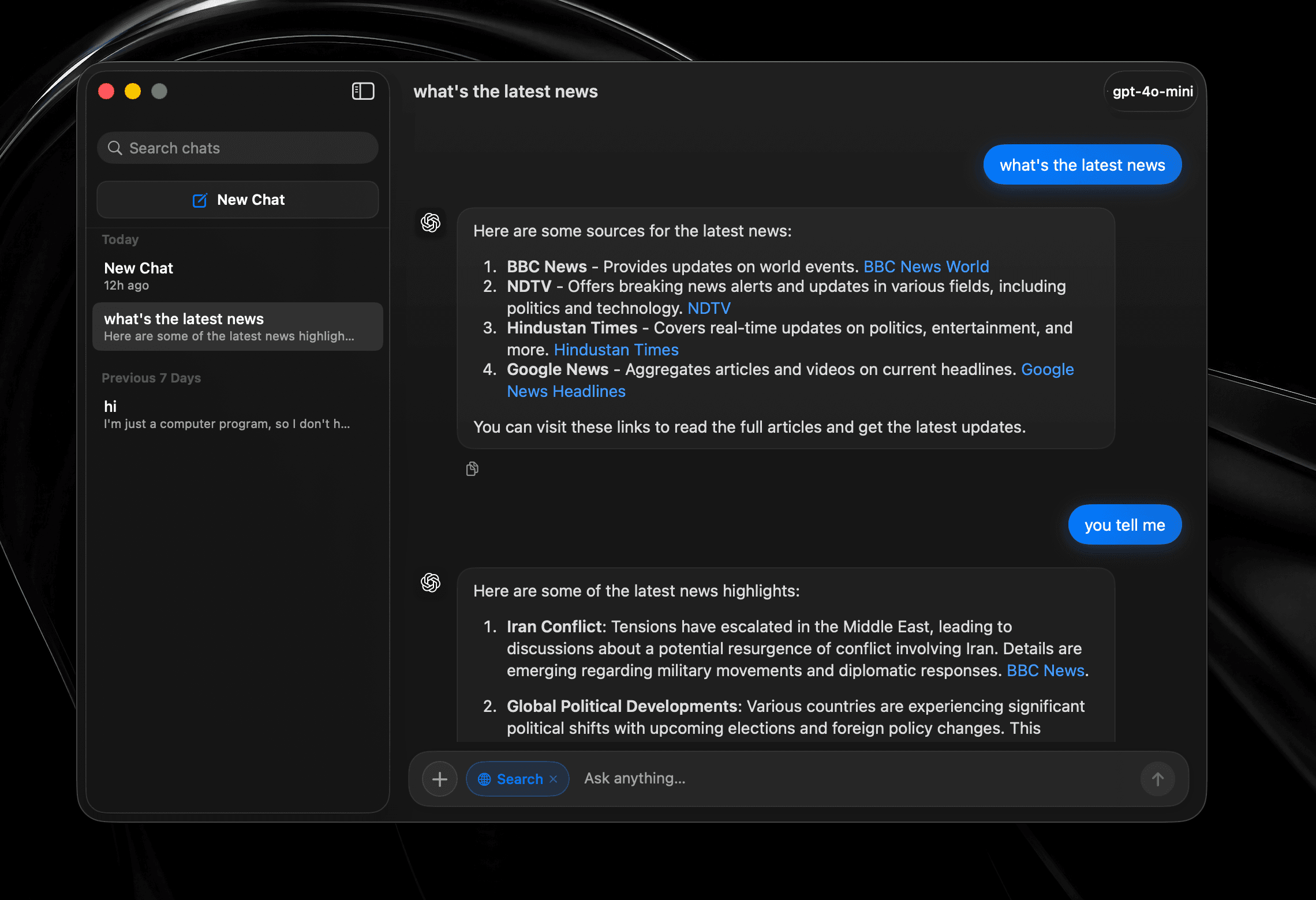
기록, 웹 검색, 모델 전환을 갖춘 온전한 대화를 나누세요. 런처에 덧붙인 일회성 프롬프트가 아닙니다.
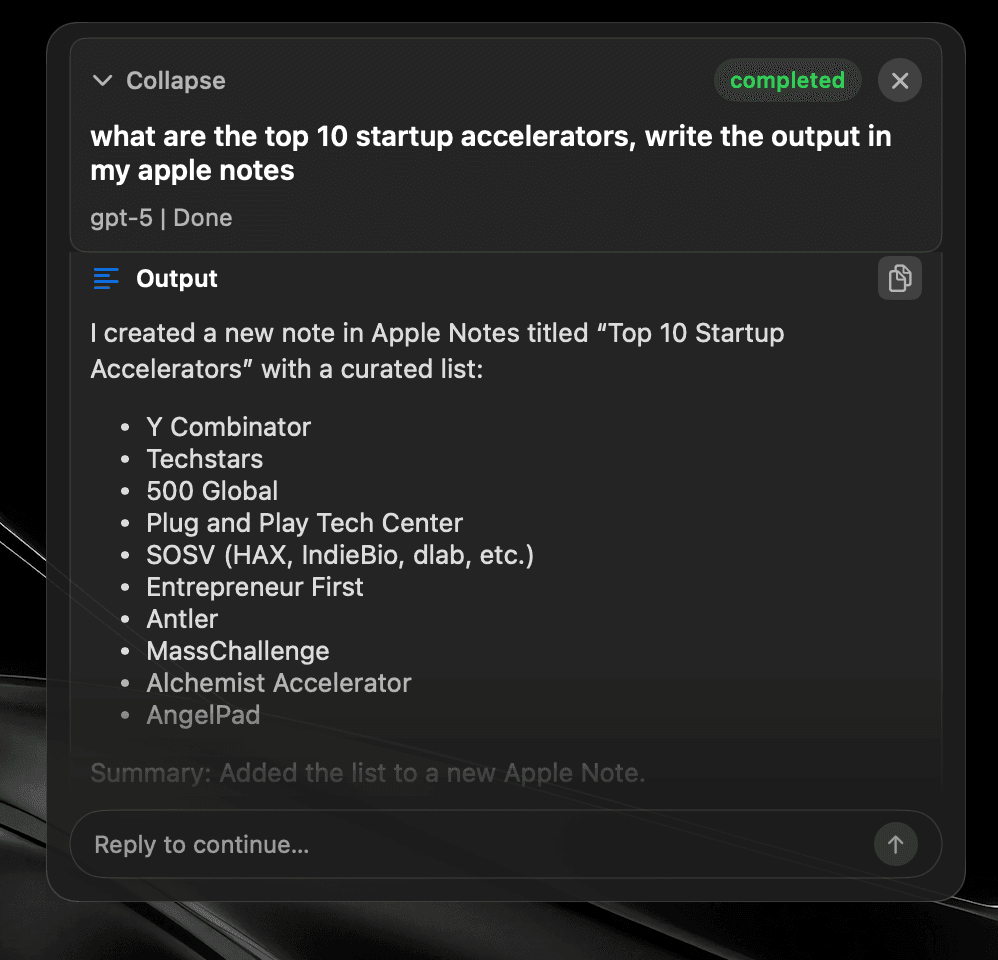
작업을 맡기고 자리를 비워도 됩니다. 에이전트가 도구를 고르고 여러 앱을 오가며 결과를 원하는 곳에 작성합니다.
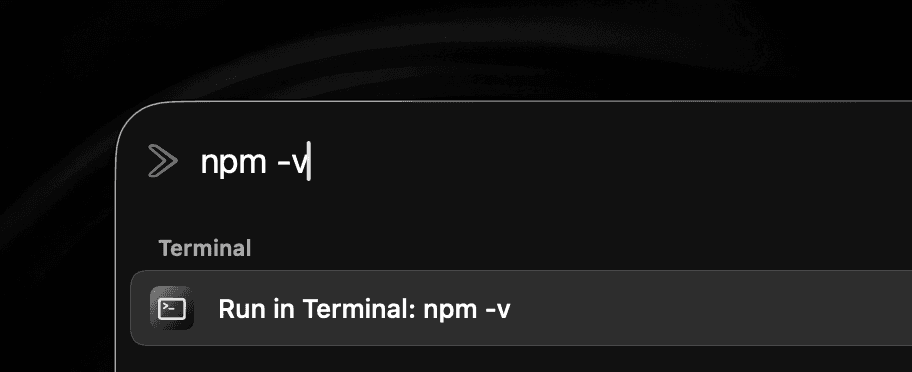
하던 일을 벗어나거나 터미널 창을 찾지 않고 셸 명령을 실행하세요.
어떤 앱에서든 텍스트를 선택해 그 자리에서 다듬으세요. 채팅 창에 복사했다가 다시 붙여 넣을 필요가 없습니다.
새 단축키를 외우는 대신 보조 키를 두 번 누르세요. 런처, 에이전트 또는 원하는 도구를 연결할 수 있습니다.


클라우드 · 로컬 · 기기 내
AI 제공업체
OpenAI, OpenRouter, ChatGPT 계정, Anthropic, Gemini, LM Studio, Ollama, Local MLX, Mistral 또는 ElevenLabs를 연결하세요.
Apple Intelligence를 사용해 기기 내에서 처리할 수도 있습니다.
선택한 제공업체를 Quick Fix, Quick AI Chat, AI Chat 및 Global AI Prompt에서 사용하세요.
Apple Intelligence 사용 가능 여부는 지원되는 Mac, macOS 버전, 언어 및 지역에 따라 다릅니다.
Snippets
Expand text anywhere
Window Management
Snap & arrange
System Commands
Control macOS fast
Read Aloud
Text-to-speech playback
Browser integration
Tabs, history, bookmarks
Widgets
CPU, memory, time, top apps
Alt + Tab
Close windows with Backspace
Raycast Extensions
Import & run extensions
Local Dictation
On-device voice typing
File Search
Find files instantly
Menu Item Search
Search commands in any app
Cloud Sync
Your setup on every Mac
Quicklinks
Jump to anything
Hyperkey
One key, many shortcuts
Calendar
Next meeting, one keystroke
Clipboard
Unlimited history & search
Calculator
Inline math from the bar
Terminal commands
Run shell from the launcher
Screenshot tool
Annotate, history, pin
Custom Scripts
Run your own tools
App Hotkeys
Launch with keys
Navigation Bindings
Remap launcher navigation
Double-tap hotkeys
Modifier double-tap bindings
Emoji Picker
Search and paste in a flash
Translate
Any text, any language
10+ Languages
Use SuperCmd in your language
Quick Camera
Mirror your webcam instantly
Auto Quit
Close idle apps for you
AI Agents + harness
Plan, tool-call, and execute
AI chat window
Dedicated agent surface
Quick Fix
Rewrite & repair text
Quick AI Prompt
AI in one keystroke
GPT Realtime
Live voice agent
나란히 비교
핵심 기능은 그대로, 제한과 부담은 더 적게.
스크롤하여 비교 →
| 기능 |  SuperCmd SuperCmd |  Raycast Raycast |
|---|---|---|
| 앱 및 파일 런처 | ||
| 창 관리 및 Spaces | ||
| 무제한 클립보드 기록 | Pro only 3 months free | |
| 무제한 메모 및 동기화 스니펫 | Pro only 5 notes free | |
| 클라우드 동기화 및 번역 | Pro only | |
| Raycast 확장 프로그램 | Supported* | |
| AI 채팅 및 에이전트 | 11+ providers ChatGPT sign-in | Beta / Pro Raycast AI or BYOK |
| 스크린샷 및 주석 | Screenshot only | |
| 런처의 시스템 위젯 | Extensions | |
| 기기 내 받아쓰기 및 Apple LLM | Cloud dictation | |
| GPT Realtime 및 Quick Fix | AI Commands | |
| Alt-Tab 전환 및 두 번 누르기 단축키 | ||
| 브라우저 프로필 및 터미널 명령 | Quicklinks / scripts | |
| 제작 기술 | Native Swift | WebView + Node + Rust |
| 메모리 사용량 | ≈3× lower | 500 MB+ |
| 앱 번들 / 디스크 | ≈50 MB | ≈144 MB |
| 다운로드 크기 | ≈20 MB | 100 MB+ |
| 가격 | One-time purchase Lifetime licence | $8/month Pro Advanced AI costs extra |
*Extensions using Raycast-managed authentication are not supported yet. Raycast plan and memory figures were checked against its published documentation in July 2026. Sizes and memory use vary by version, extensions, workload, and Mac.
비용 비교
구독 세 개와 평생 라이선스 앱 하나를 대체하세요.
스크롤하여 비교 →
| 필요한 기능 | 개별 앱 | SuperCmd |
|---|---|---|
| 음성 받아쓰기 |  Wispr Flow$15/month Wispr Flow$15/month | 포함 |
| 런처 및 AI | Raycast Pro$8/month | 포함 |
| 스크린샷 및 주석 |  CleanShot X$29 once CleanShot X$29 once | 포함 |
| 소리 내어 읽기 |  Speechify$12/month Speechify$12/month | 포함 |
| 첫해 합계 | $449$35/month + $29 once | $39.99$19.99once · 3 Macs |
First-year total uses the listed monthly prices for 12 months plus the CleanShot X one-time purchase. Prices may change.
아키텍처
SuperCmd v2는 전부 Swift로 작성했습니다. 받아쓰기는 기기에서 처리되고 창 관리는 macOS와 직접 통신해 시스템의 일부처럼 작동합니다.
AppKit과 SwiftUI를 알맞게 사용해 즉시 실행되고 CPU 부담이 적으며 Chromium 오버헤드가 없습니다.
Hyperkey, 앱 단축키, 시스템 명령 및 Quick Prompt를 키보드에서 손을 떼지 않는 사용자를 위해 설계했습니다.
Raycast 백업과 확장 프로그램을 그대로 가져와 익숙한 사용 방식은 유지하면서 더 빠른 환경으로 옮기세요.
SuperCmd 데이터는 100% 로컬에 저장됩니다. 클립보드 기록, 스크린샷, 스니펫, 검색, 앱 활동을 수집하지 않으며, 어떤 데이터도 저희 서버로 전송되지 않습니다. SuperCmd는 개인정보 보호 중심 분석 서비스인 Aptabase를 익명 세션 수 집계에만 사용하며, 기능 사용이나 이벤트는 추적하지 않습니다. AI 제공업체나 클라우드 동기화 같은 온라인 서비스를 선택하면 데이터는 Mac에서 해당 서비스로 직접 전송됩니다. 자세한 내용은 개인정보 처리방침을 참고하세요.
네. 대부분의 Raycast 확장 프로그램은 SuperCmd에서 작동합니다. Raycast가 관리하는 인증에 의존하는 확장 프로그램은 아직 지원되지 않으며, 점진적으로 지원을 추가할 예정입니다.
네. 일회성 구매입니다. 한 번만 결제하면 SuperCmd를 평생 사용할 수 있고, 향후 모든 업데이트를 추가 비용 없이 받을 수 있습니다.
SuperCmd 라이선스 하나로 Mac 3대까지 사용할 수 있습니다.
네. SuperCmd에서 설정을 열고 고급 → Raycast 가져오기로 이동한 뒤 안내에 따라 지원되는 데이터를 가져오세요.
준비되셨다면
키보드 단축키, 클립보드 및 AI 프롬프트를 즐겨 쓰는 사용자를 위한 Swift 런처입니다.
얼리버드 혜택·50% 할인·Mac 3대 포함
macOS 26 이상 필요
Homebrew로도 설치할 수 있습니다
$brew install --cask shobhit99/tap/supercmd기업용이 필요하신가요? 개발자와 통화 예약하기