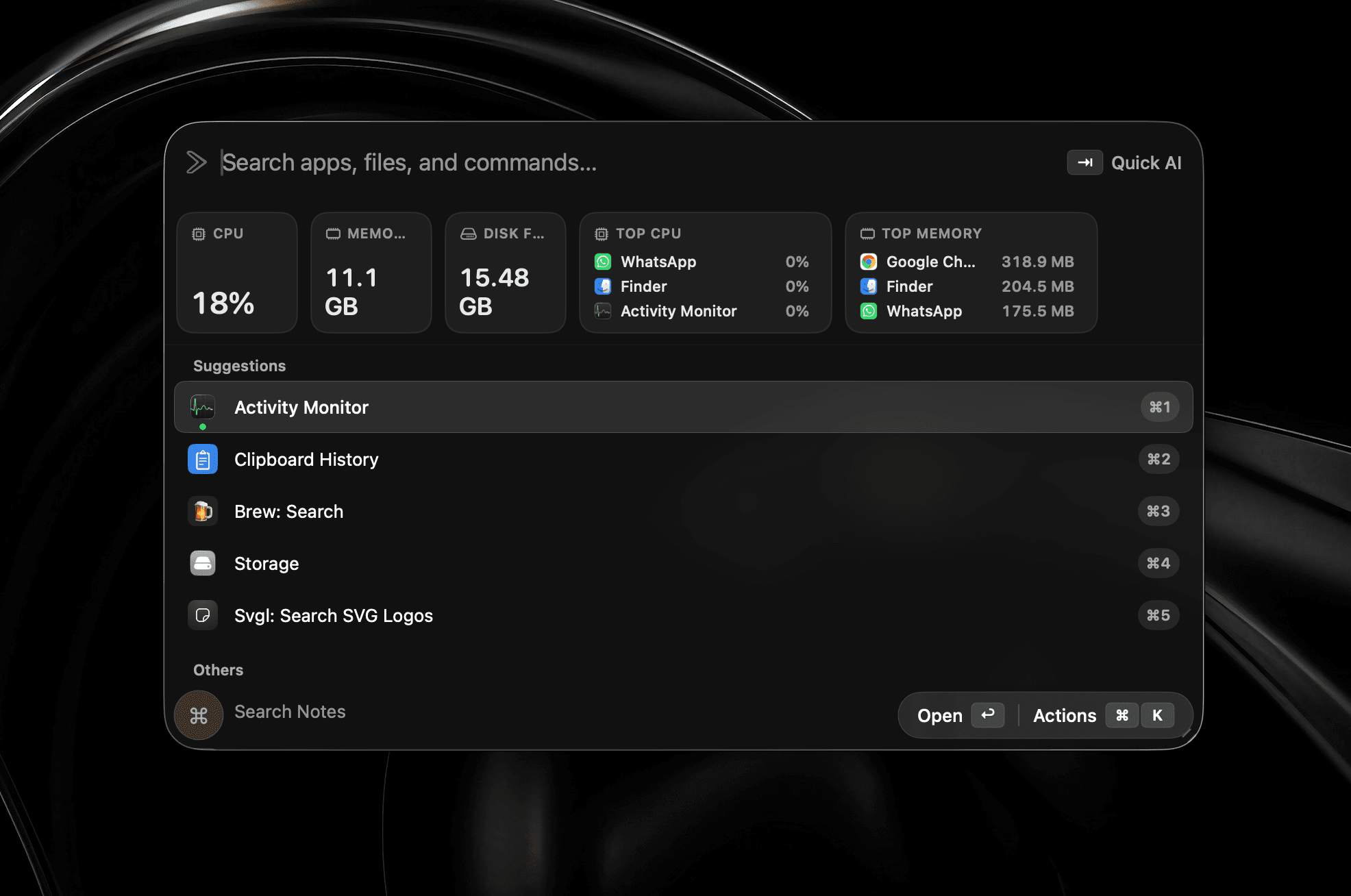
Your machine at a glance
CPU, memory, and disk sit right in the launcher, alongside the processes actually eating your battery.
Rebuilt in Swift
A fast, native, local-first Mac launcher.
Early bird offer·50% off·3 Macs included
Requires macOS 26 or later
Or install with Homebrew
$brew install --cask shobhit99/tap/supercmdEnterprise? Book a call with the developer
Feature set
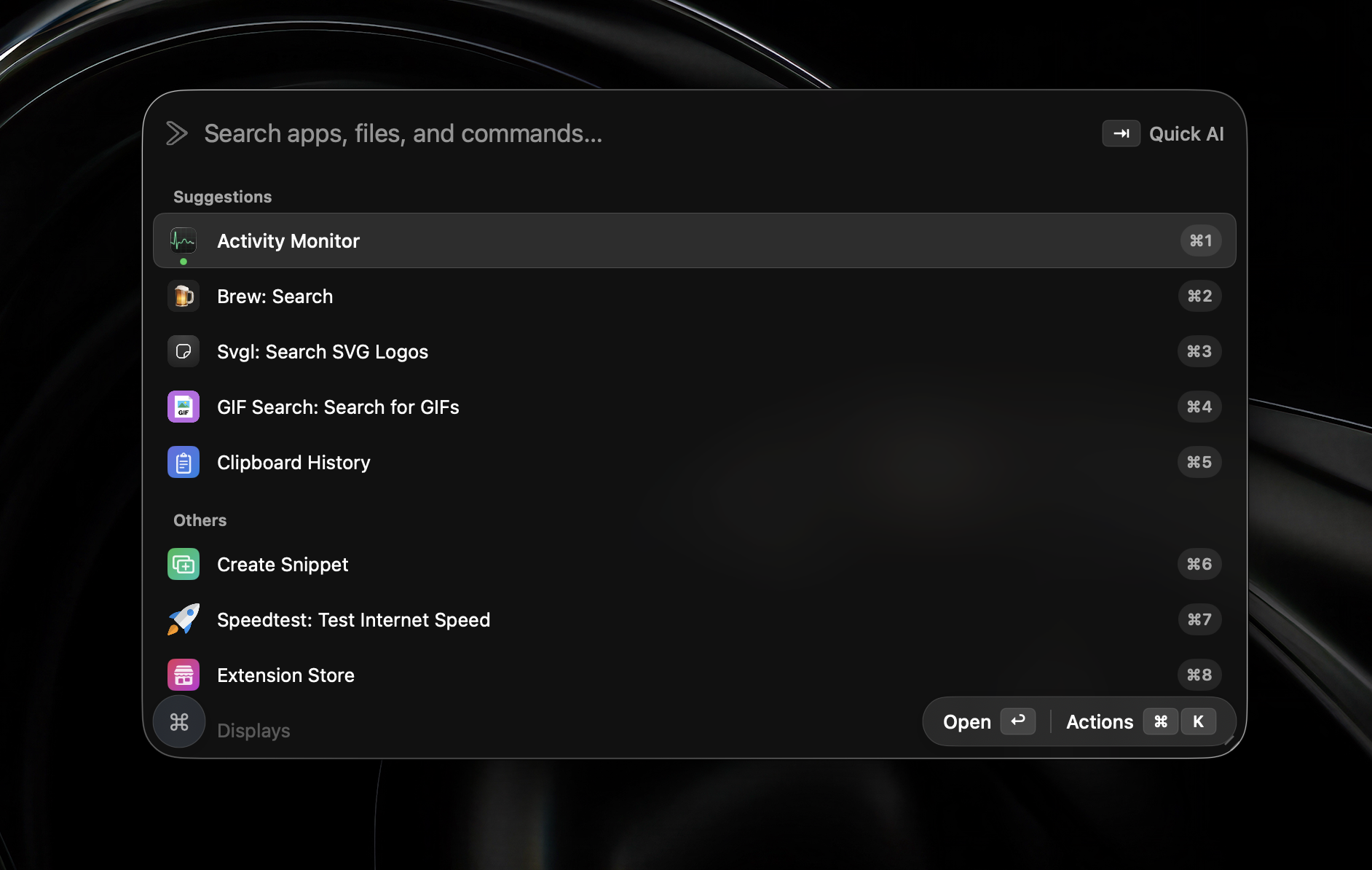
Built native in Swift. The tools you actually reach for — agents, screenshots, widgets, and a launcher that stays light.
Memory footprint
Native Swift stays lean while you keep every tool open — agents, widgets, screenshots, the works.
Built native in Swift
No Electron
In practice
Every one of these ships in v2. No waitlist, no beta flag — install it and they’re on your machine.
CPU, memory, and disk sit right in the launcher, alongside the processes actually eating your battery.
Capture any region, annotate it immediately, and copy the finished image to your clipboard.
See every open window as a live, numbered preview. Press a number and land in the right place.
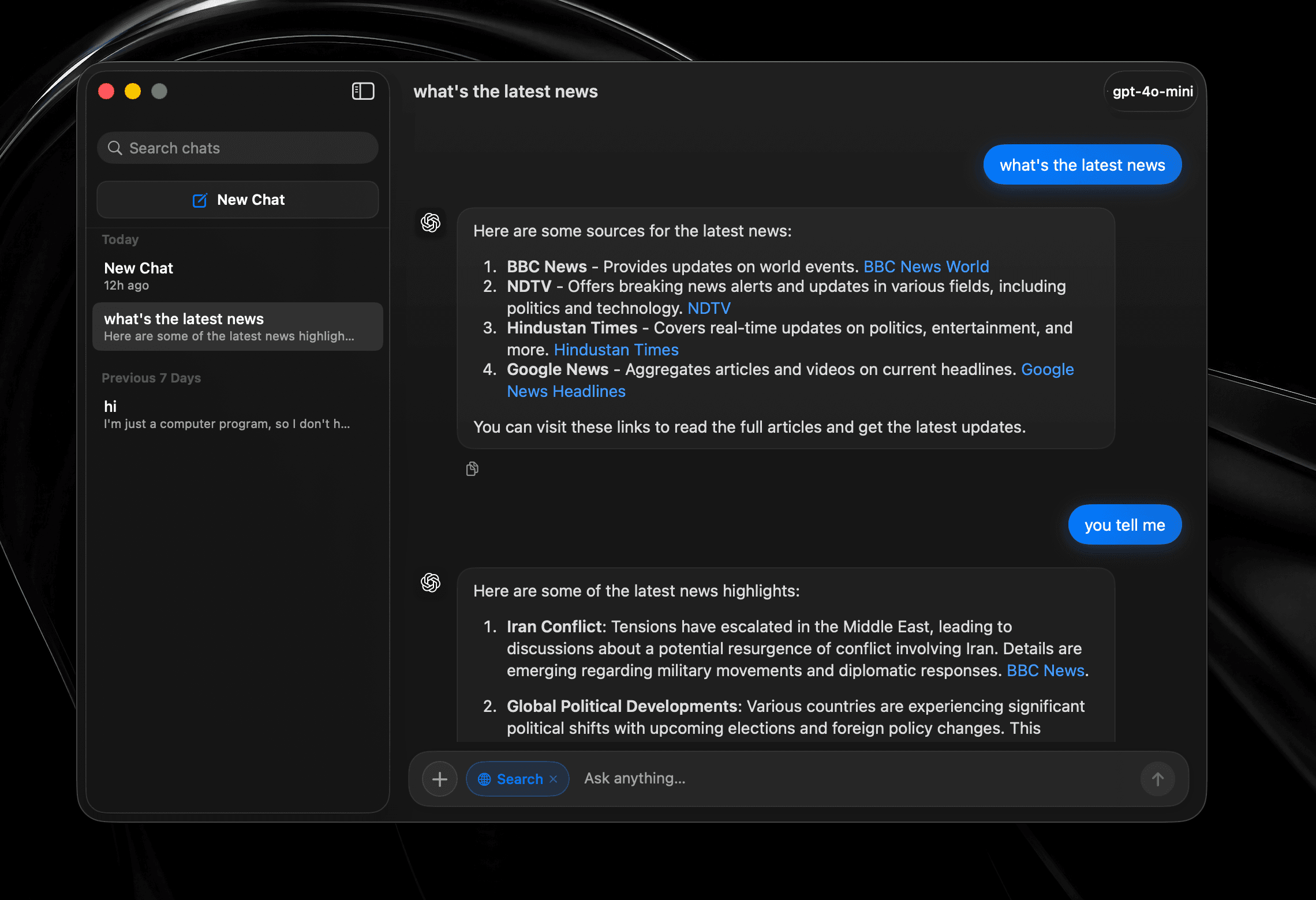
Hold full conversations with history, web search, and model switching — not a one-shot prompt bolted onto a launcher.
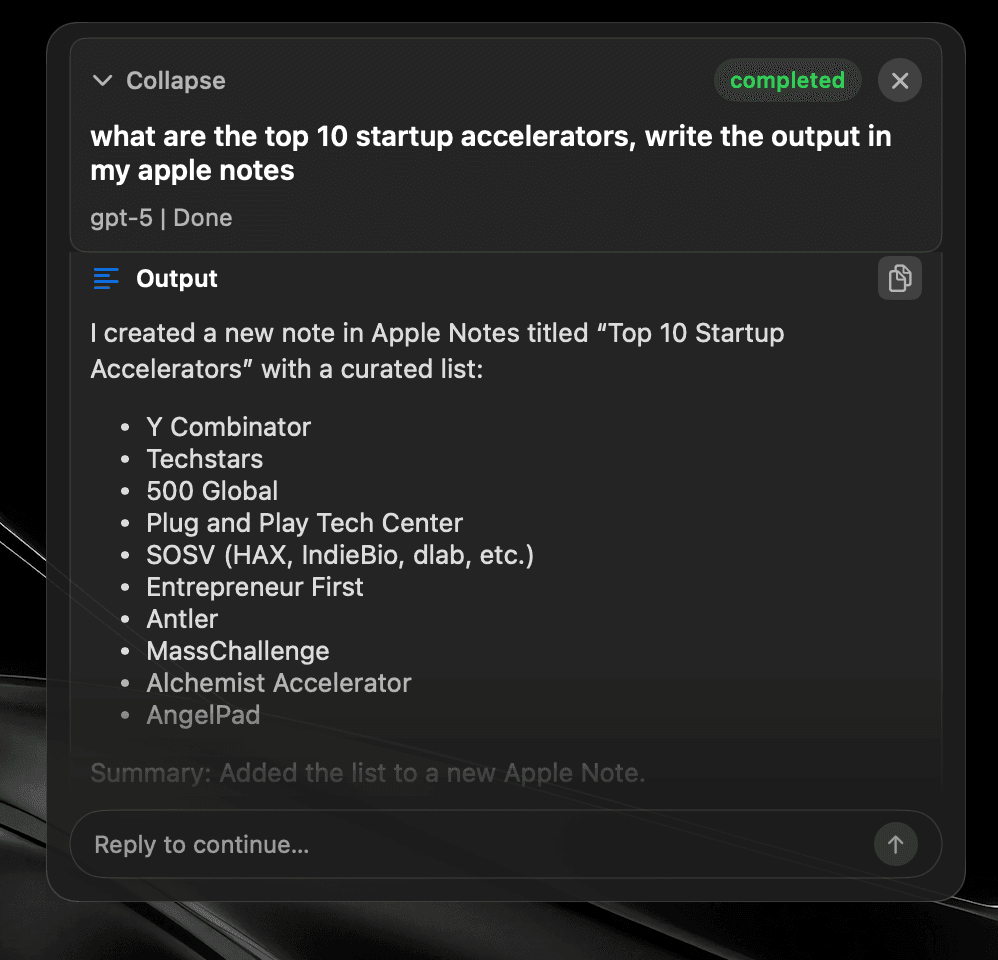
Hand off a task and walk away. The agent chooses tools, works across your apps, and writes the result where you asked.
Run a shell command without leaving your work or hunting for a separate Terminal window.
Select text in any app and improve it in place — no copying to a chat window and pasting the answer back.
Double-tap a modifier instead of learning another shortcut. Bind the launcher, an agent, or any tool.


Cloud · Local · On-device
AI providers
Connect OpenAI, OpenRouter, your ChatGPT account, Anthropic, Gemini, LM Studio, Ollama, Local MLX, Mistral, or ElevenLabs.
Or keep it on-device with Apple Intelligence.
Use your chosen provider across Quick Fix, Quick AI Chat, AI Chat, and Global AI Prompt.
Apple Intelligence availability depends on a supported Mac, macOS version, language, and region.
Snippets
Expand text anywhere
Window Management
Snap & arrange
System Commands
Control macOS fast
Read Aloud
Text-to-speech playback
Browser integration
Tabs, history, bookmarks
Widgets
CPU, memory, time, top apps
Alt + Tab
Close windows with Backspace
Raycast Extensions
Import & run extensions
Local Dictation
On-device voice typing
File Search
Find files instantly
Menu Item Search
Search commands in any app
Cloud Sync
Your setup on every Mac
Quicklinks
Jump to anything
Hyperkey
One key, many shortcuts
Calendar
Next meeting, one keystroke
Clipboard
Unlimited history & search
Calculator
Inline math from the bar
Terminal commands
Run shell from the launcher
Screenshot tool
Annotate, history, pin
Custom Scripts
Run your own tools
App Hotkeys
Launch with keys
Navigation Bindings
Remap launcher navigation
Double-tap hotkeys
Modifier double-tap bindings
Emoji Picker
Search and paste in a flash
Translate
Any text, any language
10+ Languages
Use SuperCmd in your language
Quick Camera
Mirror your webcam instantly
Auto Quit
Close idle apps for you
AI Agents + harness
Plan, tool-call, and execute
AI chat window
Dedicated agent surface
Quick Fix
Rewrite & repair text
Quick AI Prompt
AI in one keystroke
GPT Realtime
Live voice agent
Side by side
Same essentials. Fewer limits and less overhead.
Scroll to compare →
| Feature |  SuperCmd SuperCmd |  Raycast Raycast |
|---|---|---|
| App & file launcher | ||
| Window management & Spaces | ||
| Unlimited clipboard history | Pro only 3 months free | |
| Unlimited notes & synced snippets | Pro only 5 notes free | |
| Cloud sync & translation | Pro only | |
| Raycast extensions | Supported* | |
| AI chat & agents | 11+ providers ChatGPT sign-in | Beta / Pro Raycast AI or BYOK |
| Screenshot & annotation | Screenshot only | |
| System widgets in launcher | Extensions | |
| On-device dictation & Apple LLM | Cloud dictation | |
| GPT Realtime & Quick Fix | AI Commands | |
| Alt-Tab switcher & double-tap hotkeys | ||
| Browser profiles & terminal commands | Quicklinks / scripts | |
| Built with | Native Swift | WebView + Node + Rust |
| Memory footprint | ≈3× lower | 500 MB+ |
| App bundle / on disk | ≈50 MB | ≈144 MB |
| Download size | ≈20 MB | 100 MB+ |
| Price | One-time purchase Lifetime licence | $8/month Pro Advanced AI costs extra |
*Extensions using Raycast-managed authentication are not supported yet. Raycast plan and memory figures were checked against its published documentation in July 2026. Sizes and memory use vary by version, extensions, workload, and Mac.
Cost comparison
Replace three subscriptions and another lifetime purchase.
Scroll to compare →
| What you need | Separate apps | SuperCmd |
|---|---|---|
| Voice dictation |  Wispr Flow$15/month Wispr Flow$15/month | Included |
| Launcher & AI | Raycast Pro$8/month | Included |
| Screenshots & annotation |  CleanShot X$29 once CleanShot X$29 once | Included |
| Read aloud |  Speechify$12/month Speechify$12/month | Included |
| First-year total | $449$35/month + $29 once | $39.99$19.99once · 3 Macs |
First-year total uses the listed monthly prices for 12 months plus the CleanShot X one-time purchase. Prices may change.
Architecture
SuperCmd v2 is written entirely in Swift. Dictation stays on device, window management talks directly to macOS, and the launcher feels like part of the system.
AppKit and SwiftUI in the right places. Instant launch, quiet CPU, and no Chromium overhead.
Hyperkey, app shortcuts, system commands, and Quick Prompt — made for people who keep their hands on the keys.
Import Raycast backups, keep your extensions, and move to a faster shell without losing muscle memory.
Your SuperCmd data is 100% local. We do not collect your clipboard history, screenshots, snippets, searches, or app activity, and none of it is sent to our servers. SuperCmd uses Aptabase, a privacy-focused analytics service, only to count anonymous sessions; no feature usage or events are tracked. When you choose an online service such as an AI provider or cloud sync, data goes directly from your Mac to the service you configured. Read our full privacy policy.
Yes. Most Raycast extensions work in SuperCmd. Extensions that rely on Raycast-managed authentication are not supported yet; support for those will be added gradually.
Yes. It is a one-time purchase: pay once, use SuperCmd forever, and receive all future updates at no extra cost.
One SuperCmd licence covers three Macs.
Yes. In SuperCmd, open Settings, then go to Advanced → Raycast Import and follow the prompts to bring over your supported data.
Ready when you are
The Swift launcher for people who live in keyboard shortcuts, clipboards, and AI prompts.
Early bird offer·50% off·3 Macs included
Requires macOS 26 or later
Or install with Homebrew
$brew install --cask shobhit99/tap/supercmdEnterprise? Book a call with the developer