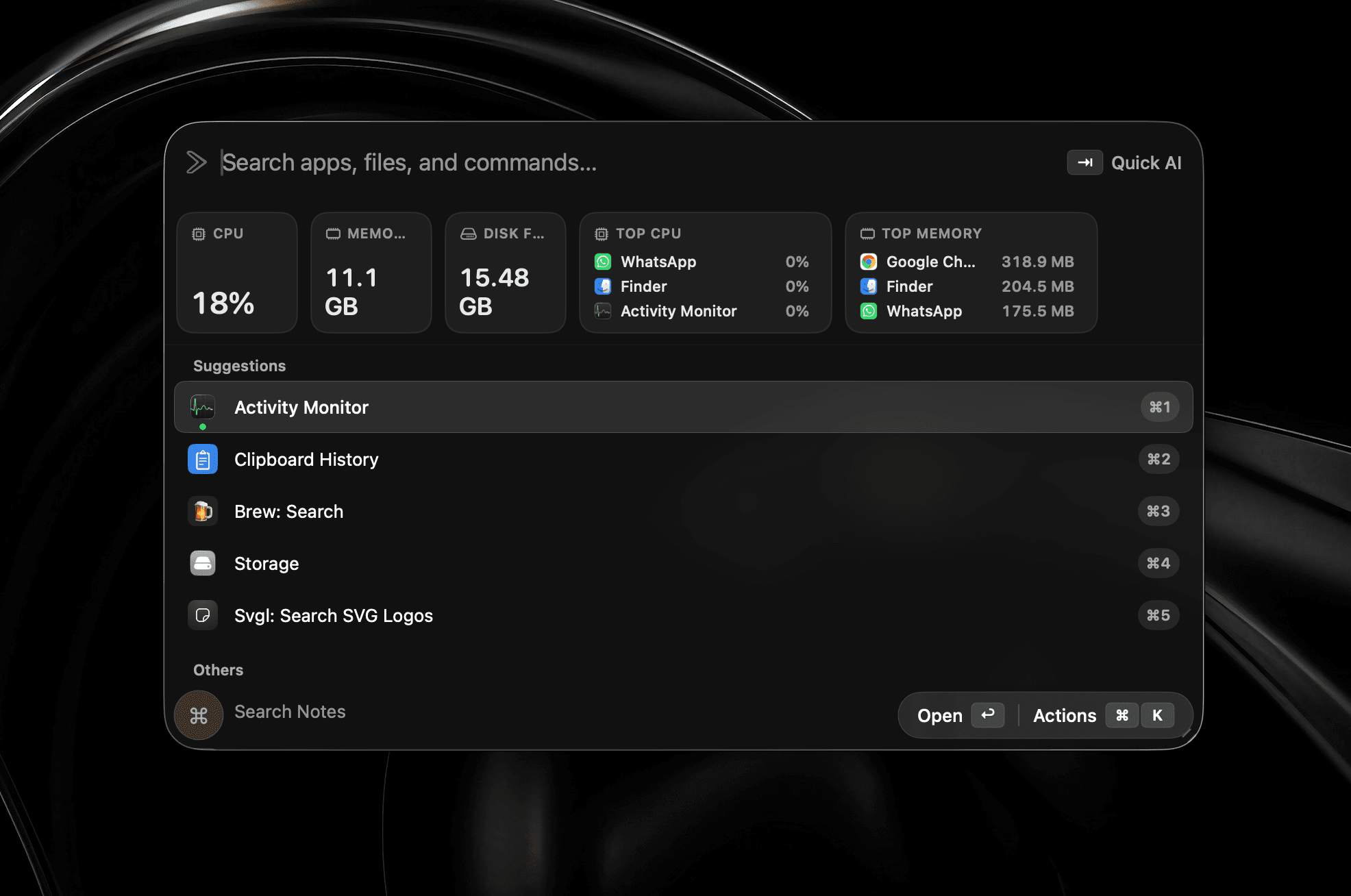
Mac 狀態一目了然
CPU、記憶體、磁碟和真正耗電的程序,直接顯示在啟動器中。
使用 Swift 全新打造
快速、原生、本機優先的 Mac 啟動器。
早鳥優惠·五折優惠·可用於 3 台 Mac
需要 macOS 26 或以上版本
也可透過 Homebrew 安裝
$brew install --cask shobhit99/tap/supercmd企業用戶? 預約與開發者通話
功能概覽
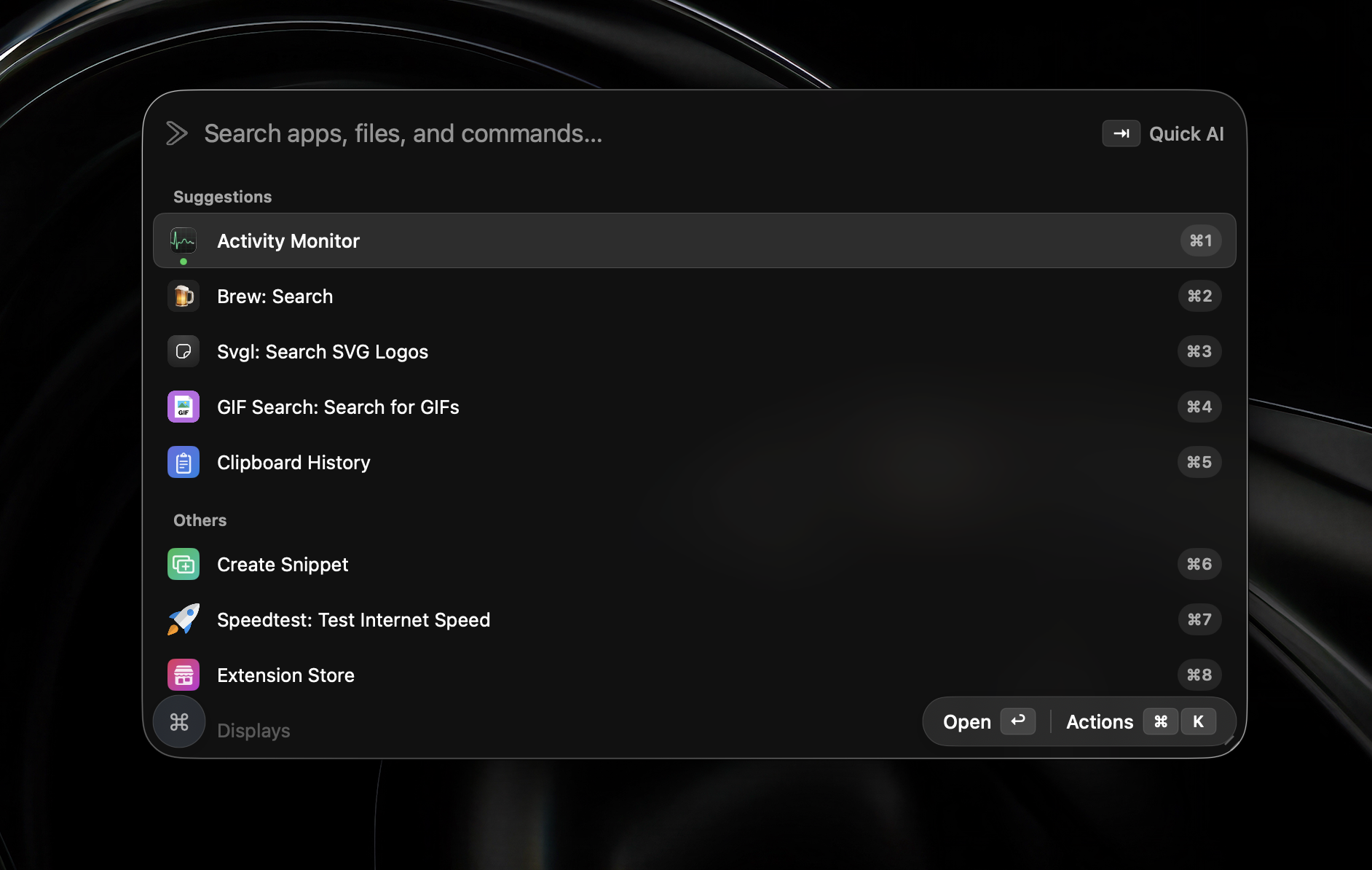
使用 Swift 原生打造。AI 代理、截圖、小工具,以及始終輕巧的啟動器,常用工具一應俱全。
記憶體用量
即使同時開啟 AI 代理、小工具和截圖等全部功能,原生 Swift 依然保持輕巧。
Swift 原生打造
無需 Electron
實際使用
這些功能全部隨 v2 提供。無需排隊、不是測試版——安裝後即可使用。
CPU、記憶體、磁碟和真正耗電的程序,直接顯示在啟動器中。
截取任意區域,立即加入箭頭、形狀、文字或遮蔽,完成後自動複製到剪貼簿。
所有開啟中的視窗都會顯示為帶編號的即時預覽,按下數字即可精準切換。
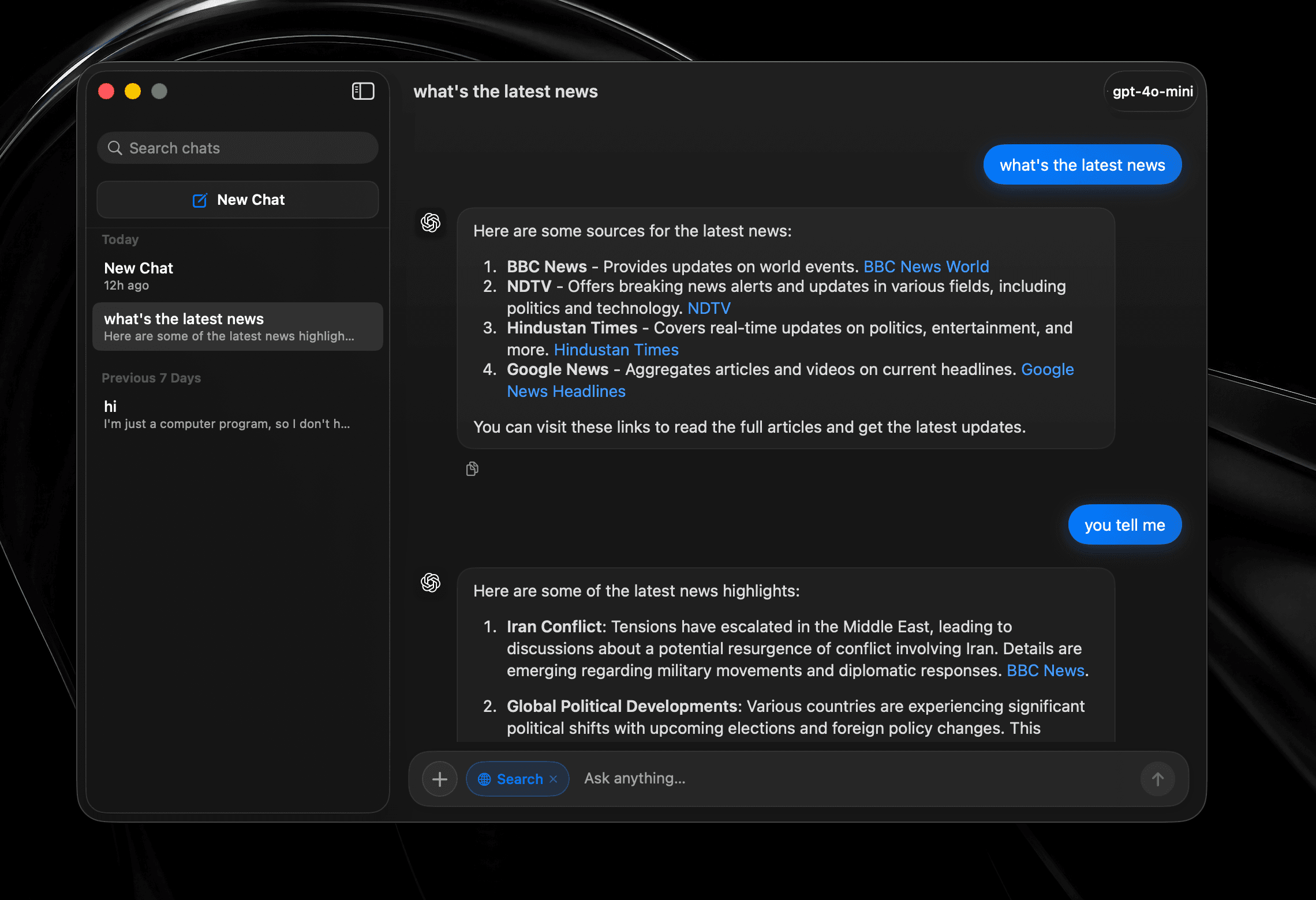
支援歷史記錄、網頁搜尋和模型切換的完整對話,而不是啟動器裡臨時拼上的一次性提示框。
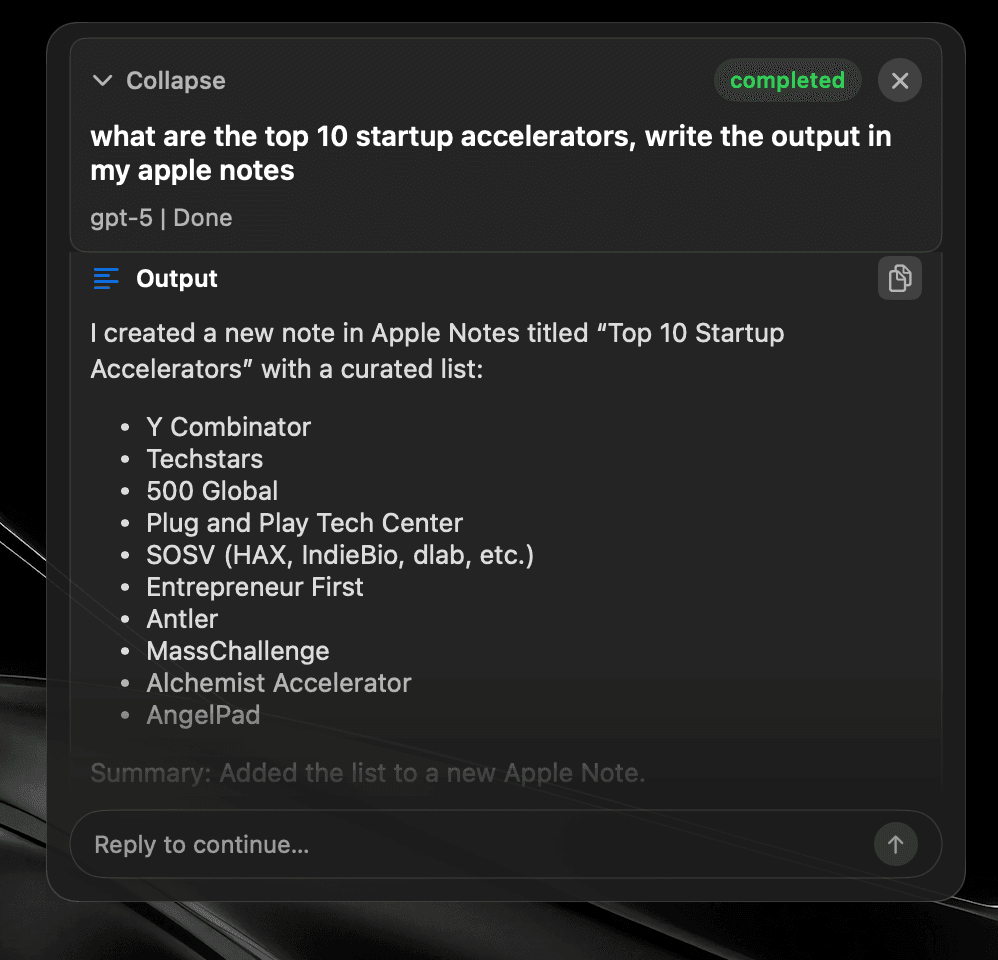
交代任務後即可離開。AI 代理會選擇工具、跨 App 執行,並把結果寫到指定位置。
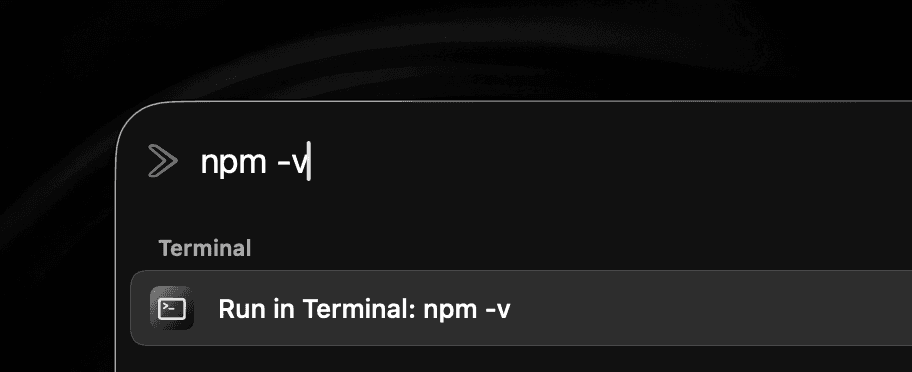
無需離開目前工作,也不用尋找獨立的終端機視窗,直接執行 Shell 指令。
在任意 App 中選取文字並就地改進,無需複製到聊天視窗再貼回結果。
不用再記一組快捷鍵,連按兩下修飾鍵即可啟動啟動器、AI 代理或任意工具。


雲端 · 本機 · 裝置端
AI 供應商
連接 OpenAI、OpenRouter、ChatGPT 帳號、Anthropic、Gemini、LM Studio、Ollama、Local MLX、Mistral 或 ElevenLabs。
也可透過 Apple Intelligence 完全在裝置端執行。
在 Quick Fix、Quick AI Chat、AI Chat 和 Global AI Prompt 中統一使用所選供應商。
Apple Intelligence 的可用性取決於 Mac 機型、macOS 版本、語言和地區。
Snippets
Expand text anywhere
Window Management
Snap & arrange
System Commands
Control macOS fast
Read Aloud
Text-to-speech playback
Browser integration
Tabs, history, bookmarks
Widgets
CPU, memory, time, top apps
Alt + Tab
Close windows with Backspace
Raycast Extensions
Import & run extensions
Local Dictation
On-device voice typing
File Search
Find files instantly
Menu Item Search
Search commands in any app
Cloud Sync
Your setup on every Mac
Quicklinks
Jump to anything
Hyperkey
One key, many shortcuts
Calendar
Next meeting, one keystroke
Clipboard
Unlimited history & search
Calculator
Inline math from the bar
Terminal commands
Run shell from the launcher
Screenshot tool
Annotate, history, pin
Custom Scripts
Run your own tools
App Hotkeys
Launch with keys
Navigation Bindings
Remap launcher navigation
Double-tap hotkeys
Modifier double-tap bindings
Emoji Picker
Search and paste in a flash
Translate
Any text, any language
10+ Languages
Use SuperCmd in your language
Quick Camera
Mirror your webcam instantly
Auto Quit
Close idle apps for you
AI Agents + harness
Plan, tool-call, and execute
AI chat window
Dedicated agent surface
Quick Fix
Rewrite & repair text
Quick AI Prompt
AI in one keystroke
GPT Realtime
Live voice agent
並排比較
核心功能相同,限制更少,負擔更輕。
滑動查看比較 →
| 功能 |  SuperCmd SuperCmd |  Raycast Raycast |
|---|---|---|
| App 與檔案啟動器 | ||
| 視窗管理與桌面空間 | ||
| 無限剪貼簿歷史 | Pro only 3 months free | |
| 無限筆記與同步文字片段 | Pro only 5 notes free | |
| 雲端同步與翻譯 | Pro only | |
| Raycast 擴充功能 | Supported* | |
| AI 聊天與 AI 代理 | 11+ providers ChatGPT sign-in | Beta / Pro Raycast AI or BYOK |
| 截圖與標註 | Screenshot only | |
| 啟動器內的系統小工具 | Extensions | |
| 裝置端聽寫與 Apple LLM | Cloud dictation | |
| GPT Realtime 與 Quick Fix | AI Commands | |
| Alt-Tab 切換與連按兩下快捷鍵 | ||
| 瀏覽器設定檔與終端機指令 | Quicklinks / scripts | |
| 建置技術 | Native Swift | WebView + Node + Rust |
| 記憶體用量 | ≈3× lower | 500 MB+ |
| App 大小 / 磁碟用量 | ≈50 MB | ≈144 MB |
| 下載大小 | ≈20 MB | 100 MB+ |
| 價格 | One-time purchase Lifetime licence | $8/month Pro Advanced AI costs extra |
*Extensions using Raycast-managed authentication are not supported yet. Raycast plan and memory figures were checked against its published documentation in July 2026. Sizes and memory use vary by version, extensions, workload, and Mac.
費用比較
取代三項訂閱和另一款買斷軟體。
滑動查看比較 →
| 所需功能 | 分開購買的 App | SuperCmd |
|---|---|---|
| 語音聽寫 |  Wispr Flow$15/month Wispr Flow$15/month | 已包含 |
| 啟動器與 AI | Raycast Pro$8/month | 已包含 |
| 截圖與標註 |  CleanShot X$29 once CleanShot X$29 once | 已包含 |
| 朗讀 |  Speechify$12/month Speechify$12/month | 已包含 |
| 首年總計 | $449$35/month + $29 once | $39.99$19.99once · 3 Macs |
First-year total uses the listed monthly prices for 12 months plus the CleanShot X one-time purchase. Prices may change.
架構
SuperCmd v2 完全使用 Swift 編寫。聽寫在裝置端完成,視窗管理直接與 macOS 溝通,啟動器就像系統的一部分。
AppKit 與 SwiftUI 各司其職。瞬間啟動、低 CPU 用量,沒有 Chromium 負擔。
Hyperkey、App 快捷鍵、系統指令和 Quick Prompt,專為雙手不離鍵盤的人設計。
匯入 Raycast 備份並保留擴充功能,在不改變操作習慣的前提下換到更快的環境。
您的 SuperCmd 資料 100% 儲存在本機。我們不會收集您的剪貼簿歷史、截圖、文字片段、搜尋記錄或 App 活動,也不會將任何資料傳送到我們的伺服器。SuperCmd 僅使用注重隱私的分析服務 Aptabase 統計匿名工作階段數量,不追蹤任何功能使用或事件。當您選擇 AI 供應商或雲端同步等線上服務時,資料會直接從您的 Mac 傳送到您所設定的服務。 閱讀完整的隱私政策。
支援。大多數 Raycast 擴充功能都可以在 SuperCmd 中使用。依賴 Raycast 託管身分驗證的擴充功能暫不支援,相關支援將逐步加入。
是的。一次性購買:只需付款一次,即可永久使用 SuperCmd,並免費獲得所有未來更新。
一份 SuperCmd 授權可用於三台 Mac。
可以。在 SuperCmd 中開啟設定,前往「進階 → Raycast 匯入」,依照提示匯入支援的資料。
隨時可以開始
為離不開鍵盤快捷鍵、剪貼簿和 AI 提示詞的人打造的 Swift 啟動器。
早鳥優惠·五折優惠·可用於 3 台 Mac
需要 macOS 26 或以上版本
也可透過 Homebrew 安裝
$brew install --cask shobhit99/tap/supercmd企業用戶? 預約與開發者通話